


Nach mehreren Monaten praktischer Arbeit mit dem Claude Code KI-Agenten (CC) fühlt sich Software Engineering zunehmend so an, wie es sich immer hätte anfühlen sollen. Es geht weniger darum, möglichst viele Zeilen Code zu schreiben, sondern darum, Systeme bewusst zu gestalten. KI verschafft uns den notwendigen Freiraum für Aufgaben, die langfristig den größten Unterschied machen: Architekturentscheidungen, strukturierte Planung, kontinuierliches Lernen, gezielte Experimente und eine fundierte Dokumentation.
Diese Aspekte waren schon immer wichtig. In der Realität wurden sie jedoch häufig vom Zeitdruck überlagert. Der Anspruch, schnell auszuliefern, führte oft dazu, dass Architekturarbeit und Dokumentation zu kurz kamen. KI-gestützte Entwicklung mit Agenten wie Claude Code verändert diese Gewichtung grundlegend. Nicht das Wesen des Engineerings verändert sich, sondern die Prioritäten im Arbeitsalltag.
Wenn Implementierung deutlich kostengünstiger und schneller wird, steigt der Wert von klaren Entscheidungen, guter Dokumentation und sauberem Systemdesign. Schnelle Iteration ist möglich – aber nur auf Basis durchdachter Strukturen. Genau hier liegt der eigentliche Paradigmenwechsel.
Engineering statt manuelles Programmieren
Früher bestand ein erheblicher Teil meines Arbeitstags aus klassischer Implementierungsarbeit. Funktionen schreiben, Logik ausformulieren, Strukturen anlegen. Mit Claude Code im Einsatz hat sich dieser Schwerpunkt deutlich verschoben. Heute investiere ich den Großteil meiner Zeit in:
- das Erkunden von Lösungswegen durch schnelles Prototyping und den Vergleich verschiedener Designoptionen
- zügiges Lernen und das Treffen fundierter, nachvollziehbarer Entscheidungen
- die Dokumentation technischer Entscheidungen in Form von Architecture Decision Records (ADRs)
- die klare Abgrenzung von Modulen, Verantwortlichkeiten und Schnittstellen
- die Definition und Pflege von Projektstrukturen, Coding-Konventionen und wiederkehrenden Mustern
- die Ausarbeitung einer durchdachten Teststrategie inklusive Konventionen, Testmustern und erwarteter Abdeckung
- die Steuerung und Bewertung der Arbeit von KI-Agenten
Vor allem der letzte Punkt ist eine neue Kompetenz, die ich kontinuierlich weiterentwickle. Alles andere gehört eigentlich schon immer zu guter Engineering-Praxis – es war nur oft schwer, dafür ausreichend Zeit zu finden. Mit einem KI-Agenten wird es deutlich einfacher und effizienter.
Entwicklung bedeutet für mich heute weniger: „Welche Funktion schreibe ich als Nächstes?“
Und deutlich mehr: Systeme verstehen, Entscheidungen bewusst treffen und diese sauber dokumentieren – damit sowohl das Team als auch der KI-Agent konsistent und zielgerichtet arbeiten können.
Ein unerwarteter Gamechanger: AI Coding Tools steigern Dokumentationsqualität
Wenn ich den größten Produktivitätsgewinn durch Claude Code benennen müsste, dann ist es überraschenderweise nicht die Implementierung – sondern die Dokumentation. Claude Code ist ausgesprochen leistungsfähig darin, Dokumente zu erstellen, zu strukturieren und kontinuierlich aktuell zu halten.
Noch wichtiger ist jedoch ein anderer Aspekt: Diese Dokumente werden zum aktiven Steuerungsinstrument für die KI. Sie liefern den notwendigen Kontext, auf dessen Basis der Agent konsistent und systemkonform arbeitet. Gute Dokumentation ist damit nicht mehr nur „nice to have“, sondern ein zentraler Hebel für qualitativ hochwertige KI-Ergebnisse.
Vom Bauchgefühl zum systematischen Experiment
Sobald das Ausprobieren neuer Ideen kaum noch Aufwand verursacht, verändert sich die Arbeitsweise grundlegend – auch psychologisch.
Früher war es selten praktikabel, mehrere Lösungsansätze vollständig manuell umzusetzen, nur um herauszufinden, welcher tatsächlich trägt. Der Zeitaufwand war schlicht zu hoch. Mit Claude Code kann ich heute unterschiedliche Optionen schnell durchspielen, ihre Vor- und Nachteile vergleichen und konsequent verwerfen, was nicht überzeugt.
Was früher aus Zeitgründen oft bei einem „gut genug“ endete, lässt sich heute fundierter entscheiden. Iteration wird günstiger – und dadurch steigt die Qualität der Entscheidungen.
Unterstützung beim Troubleshooting
Auch bei der Fehlersuche zeigt sich ein deutlicher Effizienzgewinn. Claude Code kann die Reproduktion und Analyse von Problemen weitgehend automatisieren.
Anstatt die Anwendung mehrfach neu zu starten, Benutzerabläufe erneut durchzuklicken und im Debugger Schritt für Schritt Variablen zu prüfen, genügt es häufig, ein Fehlerprotokoll oder einen Screenshot bereitzustellen und eine strukturierte Analyse anzustoßen.
Nicht jedes Problem lässt sich auf diese Weise vollständig klären. In der Praxis betrifft das jedoch die Minderheit der Fälle. Besonders wertvoll ist dabei: Die Ursachenanalyse ist meist zeitaufwendiger als die eigentliche Fehlerbehebung. Wenn sich dieser Schritt auch nur teilweise automatisieren lässt, entsteht bereits ein erheblicher Zeitgewinn.
Mehr Fokus auf Testdesign
Automatisiertes Testen scheitert in der Praxis häufig daran, dass das Schreiben und Pflegen von Tests zu einem eigenen Nebenprodukt wird. Der Aufwand wächst, die Wartung bindet Zeit – und irgendwann verliert das Thema an Priorität. Ein KI-Agent wie CC kann hier spürbar entlasten. Voraussetzung ist allerdings, dass im Projekt eine klar definierte Teststrategie existiert – inklusive dokumentierter Muster und Anti-Patterns. Auf dieser Grundlage ist der KI-Agent in der Lage, qualitativ hochwertigen Testcode zu erzeugen.
Dadurch entsteht Freiraum für die wirklich entscheidenden Aufgaben: das fachliche Review von Testszenarien und deren gezielte Ausgestaltung. Also für Tests, die Geschäftslogik sauber validieren und kritische Randfälle zuverlässig abdecken.
Für die KI-gestützte Entwicklung ergibt sich daraus ein zusätzlicher Vorteil. Ein durchdachtes Testdesign erleichtert die Überprüfung von KI-generiertem Code erheblich. Implementiert CC ein neues Feature, zeigt eine umfassende Testsuite unmittelbar, ob die Umsetzung fachlich korrekt ist. Gute Tests verbessern somit nicht nur die Softwarequalität, sondern erhöhen auch die Verlässlichkeit der KI-Ergebnisse. Beide Aspekte verstärken sich gegenseitig.
In der Praxis bedeutet das: Die KI übernimmt die wiederkehrenden Standardaufgaben – Testdaten, Setup- und Teardown-Logik sowie Assertionsyntax. Ich hingegen konzentriere mich auf Grenzfälle, Fehlerszenarien und die Validierung der Geschäftslogik – also genau auf jene Aspekte, die Produktionsvorfälle tatsächlich verhindern.
Vorgehensweise in der Praxis
Auf Basis konkreter Projekterfahrungen mit Claude Code haben sich für mich einige Vorgehensweisen als besonders wirkungsvoll erwiesen:
Das Projekt als analysierbares Artefakt aufsetzen
Ein Projekt, das fachlich wie technisch gut dokumentiert ist, lässt sich für CC deutlich leichter erfassen. Zwar kann Claude Code viel Kontext direkt aus dem Code ableiten, doch explizite Dokumentation reduziert Interpretationsspielräume erheblich. Gleichzeitig arbeitet der KI-Agent effizienter und benötigt weniger Tokens.
Darüber hinaus eignet sich CC sehr gut für strukturierte Brainstormings. Ich habe sowohl die Anthropic Skills als auch die BMAD-Methode mehrfach erfolgreich eingesetzt. Mit den CC Skills erhält man offizielle Leitlinien von Anthropic zur Dokumentationserstellung und Ideation. Die BMAD-Methode ergänzt dies um einen Analyst-Agenten und ermöglicht strukturierte Kreativtechniken über den *brainstorm-Command oder sogar Multi-Agent-Gruppendiskussionen im *party-mode.
Diese Repositories bieten eine ausgezeichnete Grundlage, um einen CC-Agenten gezielt an den eigenen Engineering-Prozess anzupassen. Mit der Zeit lassen sich Struktur, Rollen und Workflows schrittweise weiterentwickeln und individuell zuschneiden.
Anforderungen dokumentieren
Ich halte Produkt- und Delivery-Dokumentation bewusst in unmittelbarer Nähe zur Codebasis. Dazu zählen ein Project Charter, funktionale und nicht-funktionale Produktanforderungen sowie eine detaillierte Struktur aus Epics und User Stories. Diese Inhalte lassen sich zwar problemlos in Issue-Trackern wie GitLab oder GitHub – etwa mithilfe von MCP-Servern – verwalten. Dennoch bevorzuge ich es, versionierte Fassungen zusätzlich im Repository abzulegen. So lassen sich Änderungen über die Zeit leichter nachvollziehen, und die Dokumente können direkt in CC-Sessions eingebunden werden. Auch die Erstellung dieser Dateien übernehme ich häufig mit Claude Code selbst – auf Basis vordefinierter Templates und Commands.
Darüber hinaus eignet sich CC sehr gut für strukturierte Brainstormings. Ich habe sowohl die Anthropic Skills als auch die BMAD-Methode mehrfach erfolgreich eingesetzt. Mit den CC Skills erhält man offizielle Leitlinien von Anthropic zur Dokumentationserstellung und Ideation. Die BMAD-Methode ergänzt dies um einen Analyst-Agenten und ermöglicht strukturierte Kreativtechniken über den *brainstorm-Command oder sogar Multi-Agent-Gruppendiskussionen im *party-mode.
Diese Repositories bieten eine ausgezeichnete Grundlage, um einen CC-Agenten gezielt an den eigenen Engineering-Prozess anzupassen. Mit der Zeit lassen sich Struktur, Rollen und Workflows schrittweise weiterentwickeln und individuell zuschneiden.
Claude Code für strukturierte Ideation nutzen
Claude Code eignet sich nicht nur für Implementierung und Dokumentation, sondern auch für strukturierte Brainstormings.
Ich habe sowohl Anthropic Skills als auch die BMAD-Methode mehrfach erfolgreich eingesetzt. Mit den CC Skills erhält man offizielle Leitlinien von Anthropic für Dokumentationserstellung und Ideation-Prozesse. Die BMAD-Methode stellt zusätzlich einen Analyst-Agenten bereit und ermöglicht strukturierte Kreativtechniken über den *brainstorm-Command oder sogar Multi-Agent-Group-Chats im *party-mode.
Diese Repositories bieten eine sehr gute Grundlage, um einen CC-Agenten gezielt an den eigenen Engineering-Prozess anzupassen. Mit der Zeit lassen sich Struktur, Rollen und Workflows kontinuierlich weiterentwickeln und auf die individuellen Anforderungen zuschneiden.
Experimentieren und dokumentieren
Wenn ich ein bestimmtes Design-Pattern bewerten möchte, beginne ich damit, Zielsetzung, Rahmenbedingungen und relevanten Kontext klar zu beschreiben. Anschließend bitte ich Claude Code im erweiterten Reasoning-Modus (mit aktiviertem ultrathink-Switch), einen strukturierten Plan zu erstellen oder einen kleinen technischen Spike umzusetzen.
Nach der ersten Ausarbeitung nutze ich den KI-Agenten bewusst als Sparringspartner. Ich lasse mir zugrunde liegende Annahmen erläutern, mögliche Zielkonflikte und Trade-offs auflisten und den vorgeschlagenen Ansatz mit der bestehenden Projektdokumentation abgleichen.
Wenn mir ein Aspekt nicht stimmig erscheint, hinterfrage ich gezielt: „Wurde unsere bestehende Architektur ausreichend berücksichtigt?“, „Entspricht das dem Best-Practice-Ansatz in diesem Kontext?“, „Wie würde sich die Lösung unter Last oder bei Skalierung verhalten?“, „Gibt es eine einfachere Alternative?“. Teilweise bitte ich um Optimierungen einzelner Komponenten, teilweise um die Auswertung zusätzlicher Dokumentation. In anderen Fällen lasse ich mir die zugrunde liegende Mechanik erklären, um die Argumentation nachvollziehen und fachlich prüfen zu können.
Diese iterativen Analyse- und Reflexionsschleifen sind für mich besonders wertvoll, weil sie implizite Annahmen in explizite Entscheidungskriterien überführen. Sobald ich überzeugt bin, halte ich das Ergebnis als klare Entscheidung fest: Umsetzung oder Verwerfung – jeweils mit Begründung, Risikobewertung und einem konkreten Umsetzungsplan.
Technische Specs klar und verbindlich definieren
Die Dokumentation, die ich in meinen Projekten pflege, ist im Kern nichts Besonderes. Es handelt sich um genau die Unterlagen, die leistungsfähige Entwicklungsteams ohnehin führen sollten. Der entscheidende Unterschied besteht heute jedoch darin, dass diese Dokumente unmittelbar die Qualität der KI-Ergebnisse beeinflussen.
Für jedes Projekt etabliere ich eine klar strukturierte Dokumentationsbasis:
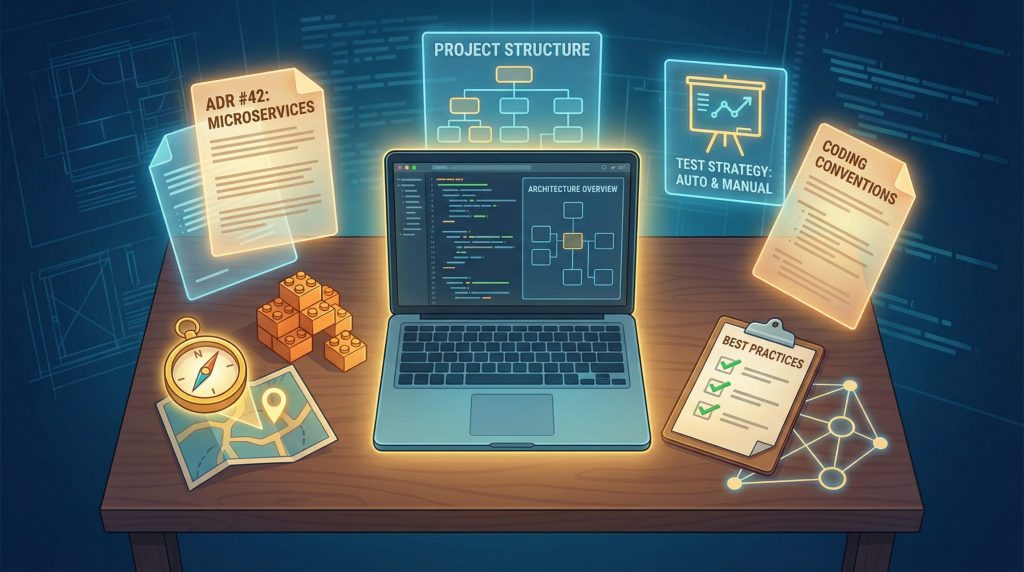
- Project Usage Guide – beschreibt, wie das System gebaut, gestartet und ausgerollt wird
- Architecture Decision Records (ADRs) – dokumentieren die fachlichen und technischen Hintergründe getroffener Entscheidungen
- Project Design – definiert Systemgrenzen, Modulverantwortlichkeiten und Datenflüsse
- Project Structure – regelt Ordnerstrukturen und Ablagekonventionen
- Coding Conventions – legt Namensgebung, Formatierung sowie bewährte Muster und Anti-Patterns fest
- Testing Strategy – beschreibt Testarten, Struktur, Muster und typische Fehlerquellen
Nach Analyse- und Explorationsphasen lasse ich gezielt Architecture Decision Records mit Unterstützung von CC erstellen.
Das Vorgehen folgt dabei einem klaren Muster: Optionen analysieren, experimentieren, entscheiden, dokumentieren. Ein ADR hält nicht nur die gewählte Lösung fest, sondern auch geprüfte Alternativen sowie die zugrunde liegende Argumentation. Dieser Kontext ist besonders wertvoll, wenn der KI-Agent später verwandte Entscheidungen treffen muss.
Zentral ist für mich die enge Verzahnung von Dokumentation und Implementierung. Wenn sich im Projektalltag zeigt, dass eine definierte Konvention nicht praktikabel ist, wird sie unmittelbar angepasst. Die Dokumentation ist kein statisches Nachschlagewerk, sondern entwickelt sich kontinuierlich gemeinsam mit der Codebasis weiter.
Zu Beginn jeder neuen CC-Session stelle ich bewusst den Kontext her: Ich lade den Project Usage Guide und gebe einen Überblick über die vorhandene Dokumentation. Dadurch arbeitet der Agent von Anfang an mit einem klaren Bezugsrahmen. Bei Bedarf greift Claude Code eigenständig auf weitere relevante Dateien zurück.
Sauber dokumentierte Konventionen, klar begründete Architekturentscheidungen und konsistent definierte Muster zahlen sich spürbar aus. Wenn Claude Code auf explizite, nachvollziehbare Entscheidungen zurückgreifen kann, arbeitet der Agent strukturierter, konsistenter und vor allem deutlich berechenbarer.
Die „Referenzprojekt“-Strategie
Claude Code ist besonders stark darin, Muster zu erkennen und zu übertragen. Verfügt man über ein sauber architektonisch aufgebautes Projekt, kann dieses gezielt als Referenz dienen. Konkret bedeutet das: Man lässt CC ein bestimmtes Konzept, Pattern oder Feature in Projekt A analysieren, mit Projekt B vergleichen und daraus einen strukturierten Gap-Report erstellen. Auf dieser Basis lässt sich anschließend fundiert planen, wie die entsprechenden Konzepte und Funktionen in Projekt B eingeführt oder angepasst werden können.
Diesen Ansatz habe ich in bestehenden Brownfield-Projekten unter anderem genutzt, um:
- Frontend-Code in eine wartbare und konsistente Ordnerstruktur zu überführen
- eine Testinfrastruktur für das Frontend (Unit- und Integrationstests) aufzubauen, wo zuvor keinerlei Tests existierten
- eine strukturierte Datenbank-Migrationsstrategie einzuführen
- konsistentes Error Handling und Logging zu etablieren, wo zuvor Uneinheitlichkeit herrschte
- Validierungslogik zu verbessern, um Robustheit und Sicherheit zu erhöhen
- Internationalisierung von Grund auf zu implementieren
Gut gestaltete Referenzprojekte verkürzen die Design- und Entscheidungsphase erheblich. Jedes sauber strukturierte, architektonisch durchdachte System kann als Blaupause dienen – und damit als Beschleuniger für die Weiterentwicklung anderer Projekte.
Plan Mode
Für komplexere Aufgaben habe ich zunächst mit spekifikationsgetriebenen Frameworks wie BMAD oder dem GitHub Spec Toolkit gearbeitet. Diese Ansätze funktionieren gut. Mit dem Plan Mode von Claude Code ist ein vergleichbares Vorgehen jedoch direkt integriert – ohne zusätzliche Frameworks.Durch die Skills-Funktion sowie die jüngsten Verbesserungen in CC – etwa automatisches Starten von Subagents, parallele Ausführung und persistente Plan-Dateien – sind externe Spec-Frameworks inzwischen eher optional als notwendig.
Heute beginne ich nahezu jede nicht-triviale Session im Plan Mode – unabhängig davon, ob es um Code, Dokumentation oder Analyseberichte geht. Das Vorgehen ist dabei klar strukturiert: Ziel beschreiben, Plan prüfen, bei Bedarf anpassen und erst danach umsetzen. Die anfängliche Investition in Planung zahlt sich aus. Sie verkürzt die eigentliche Session und verbessert die Qualität der Ergebnisse deutlich.
Bei besonders komplexen Aufgaben startet der Plan Mode automatisch mehrere Subagents, die unterschiedliche Aspekte parallel untersuchen. Anschließend werden die Erkenntnisse zu einem konsistenten Gesamtplan zusammengeführt..
Commands, Subagents und Skills
Für wiederkehrende Abläufe habe ich rund 15 eigene Commands definiert. Sie decken typische Workflows ab – etwa das Initialisieren neuer Sessions, das Erzeugen bestimmter Dokumentationsarten, das Aktualisieren bestehender Dokumente oder das Anstoßen wiederkehrender Implementierungsmuster. Der große Vorteil: Der Aufwand für Prompt-Formulierung entfällt weitgehend. Anstatt immer wieder denselben detaillierten Prompt neu zu schreiben, speichere ich ihn als Command. In Claude Code lassen sich diese Commands sogar parametrisieren, sodass sie flexibel einsetzbar bleiben.
Für spezialisierte Aufgaben arbeite ich zusätzlich mit etwa fünf Subagents – beispielsweise für allgemeine Entwicklung, Code-Review, QA und Testing sowie mit dedizierten Frontend- und Backend-Experten.
Jeder Subagent verfügt über einen eigenen Kontext. Das hilft mir, den Hauptkontext der Session schlank und stabil zu halten. Bei der Umsetzung größerer Features teile ich Aufgaben gezielt auf mehrere Subagents auf. So stelle ich sicher, dass die Arbeit strukturiert bleibt und sich in einer Session effizient abschließen lässt.
Troubleshooting im Hintergrund
Fehlersuche ist zeitintensiv. Sie besteht häufig aus wiederkehrenden, wenig kreativen Tätigkeiten: Benutzerabläufe nachstellen, Code Schritt für Schritt durchgehen, Variablen prüfen, auf Neubuilds und Neustarts warten. Genau für solche repetitiven Aufgaben sind KI-Tools besonders gut geeignet.
Diese mühsamen Schleifen lassen sich an einen KI-Agenten wie CC auslagern – idealerweise in einer separaten Session. Mein Vorgehen ist einfach: Ich übergebe den Fehlerkontext in eine neue CC-Session und bitte den Agenten, das Problem systematisch zu analysieren und zu beheben. Anschließend kehre ich in eine andere Session zurück und arbeite an meinem eigentlichen Thema weiter. Währenddessen arbeitet CC im Hintergrund: Es simuliert Nutzerabläufe, analysiert Logs, ergänzt diagnostische Ausgaben, versucht Korrekturen, startet neu und iteriert. Diese Schleifen können durchaus Zeit in Anspruch nehmen. Da sie jedoch parallel zu meiner eigentlichen Arbeit laufen, entsteht kein produktiver Leerlauf.
Nicht jedes Problem lässt sich auf diese Weise vollständig lösen. Doch selbst eine teilweise Analyse spart in der Regel spürbar Zeit. Deshalb lohnt es sich, diesen Ansatz zunächst auszuprobieren – notfalls auch mehrfach. Sollte keine klare Fortschrittslinie erkennbar sein, kann man jederzeit wieder manuell eingreifen. Ein echter Nachteil entsteht nicht, da in der Zwischenzeit an anderer Stelle weitergearbeitet wurde.
Die Kosten im Blick halten
Ein kurzer Hinweis zu den Kosten: Eine intensive Nutzung von Claude Code verbraucht viele Tokens. Wer auf einem nutzungsbasierten Abrechnungsmodell pro Token arbeitet, wird schnell feststellen, dass die Kosten erheblich steigen können. In der Praxis sind daher Abonnements wie Max oder Pro mit pauschaler Abrechnung nahezu unverzichtbar.
Es gibt jedoch eine Alternative, die sich ebenfalls bewährt hat: Claude Code lässt sich mit eigenen Modellen betreiben. Wer über entsprechende Infrastruktur und leistungsfähige Hardware verfügt, kann beispielsweise mit vLLM (ab Version 0.11.2) Modelle im Anthropic-API-Format bereitstellen. Für bestehende OpenAI-API-Deployments kann LiteLLM als Übersetzungsschicht zwischen den API-Formaten eingesetzt werden. Open-Source-Modelle wie Qwen3-Coder oder neuere Modelle wie MinMax M2.1 und GLM 4.7 lassen sich gut mit CC kombinieren. Sie liefern solide Ergebnisse und ermöglichen gleichzeitig volle Kostenkontrolle.
Wir setzen aktuell auf ein solches Setup mit Qwen3-Coder. Für viele Anwendungsfälle sind die Resultate durchaus mit Claude Sonnet vergleichbar – bei deutlich besser planbaren Betriebskosten.
Der eigentliche Paradigmenwechsel
Die Veränderung durch KI-gestützte Softwareentwicklung besteht nicht einfach darin, dass eine KI Code schreibt. Erfolgreich werden nicht jene Projekte sein, die mit KI möglichst schnell möglichst viel Code produzieren. Erfolgreich werden vielmehr diejenigen sein, die in saubere Dokumentation, klare Architektur und durchdachtes Design investieren – und die KI gezielt dafür einsetzen, diese Konzepte effizient in funktionierenden Code zu überführen.
Der wahre Produktivitätsschub liegt daher nicht darin, den Menschen aus dem Coding-Prozess zu verdrängen. Er liegt darin, den Menschen stärker in die Rolle des Gestalters zu bringen.
Vielleicht werden Claude Code und vergleichbare Werkzeuge eines Tages so leistungsfähig sein, dass sie vollständige, qualitativ hochwertige Systeme von der Konzeption bis zur Implementierung autonom erstellen können. Aktuell ist das jedoch nicht der Fall. Ob sich das künftig ändern wird, bleibt abzuwarten.

Falls Sie Fragen haben, sind wir nur einen Klick entfernt.